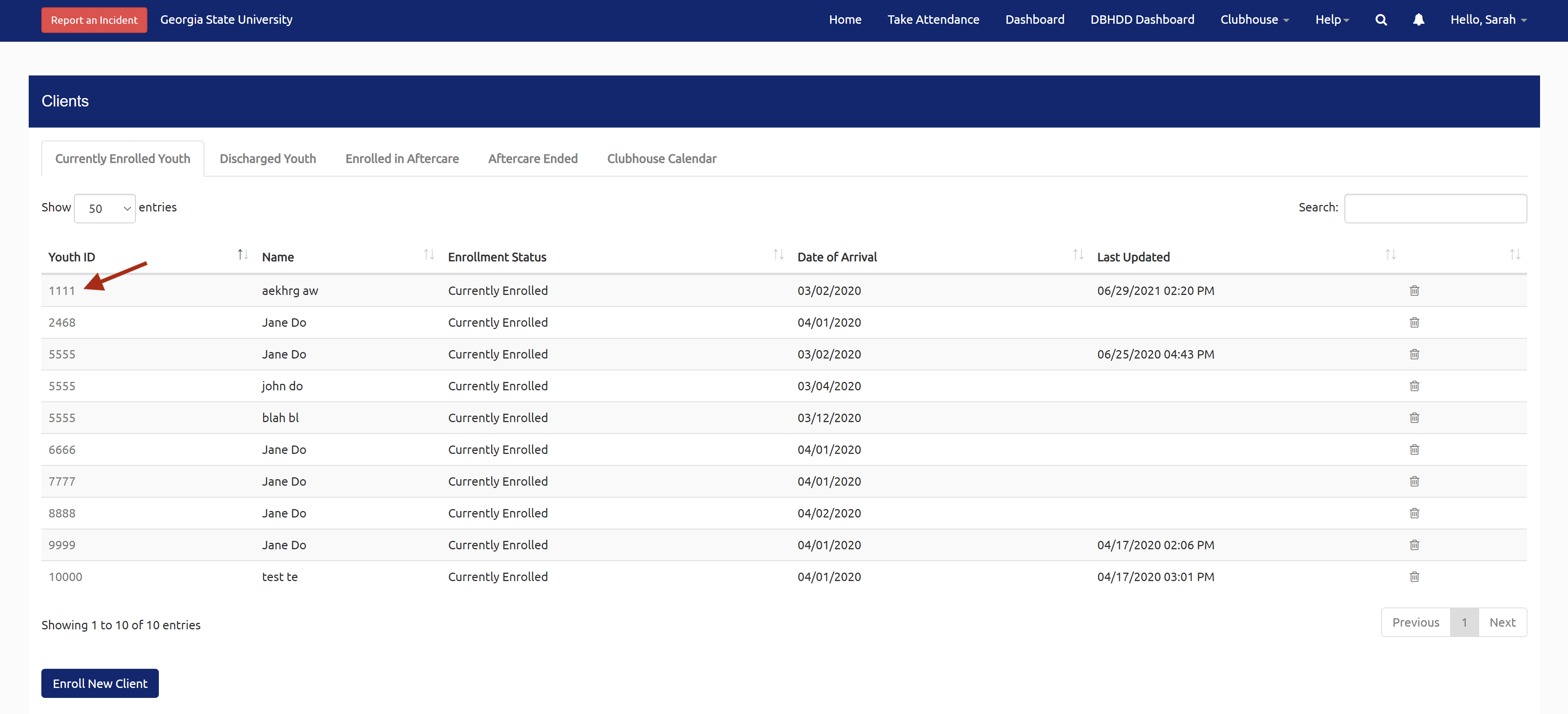
From the main client list, select a youth:
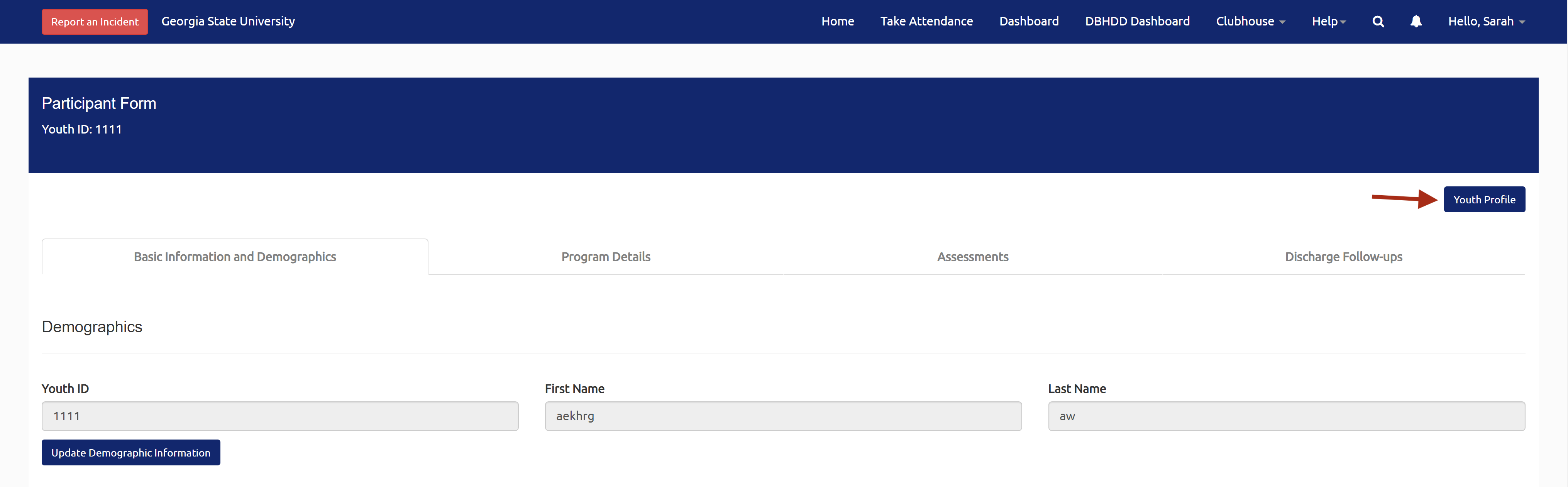
In the youth's record, select the Youth Profile button in the upper right corner:
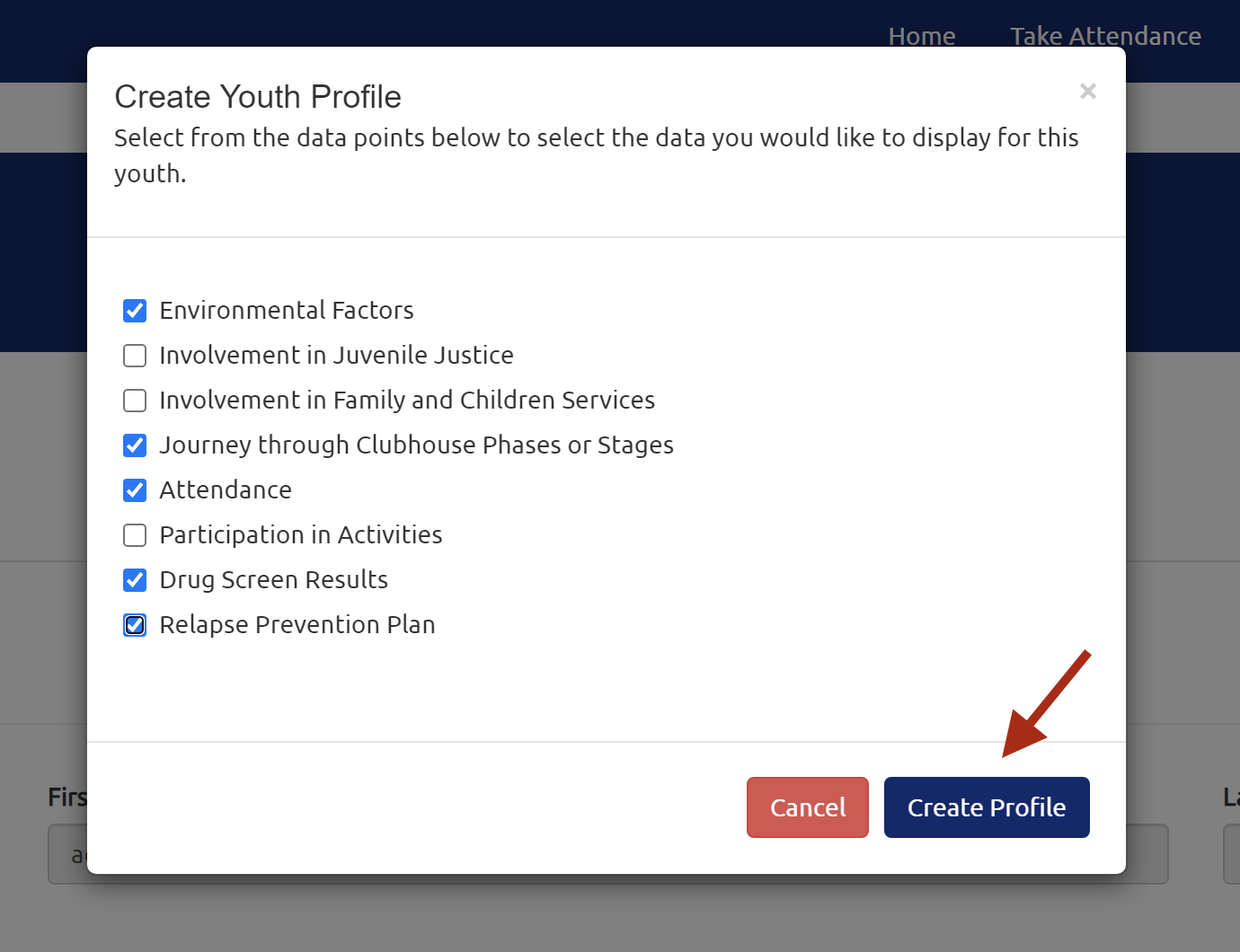
In the popup, select the data that you would like to display for this youth:
This data includes:
- Involvement in Juvenile Justice
- Involvement in Family and Children Services
- Journey through Clubhouse Phases or Stages (if your clubhouse uses this feature)
- Attendance
- Participation in Activities
- Drug Screen Results
When done, select the Create Profile button:
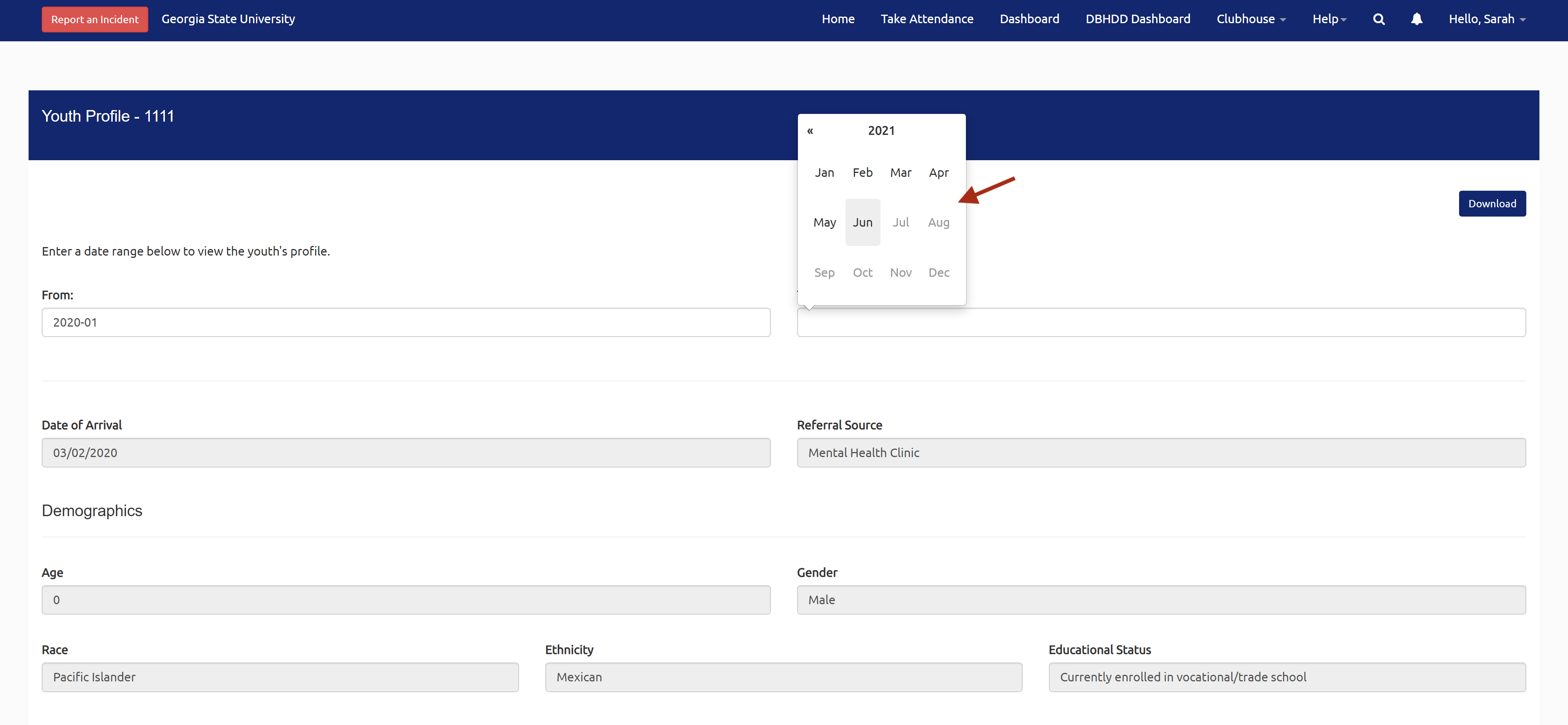
This will take you to the youth's profile. Basic static information is displayed, including Demographics, Enrollment History, and Environmental Factors.
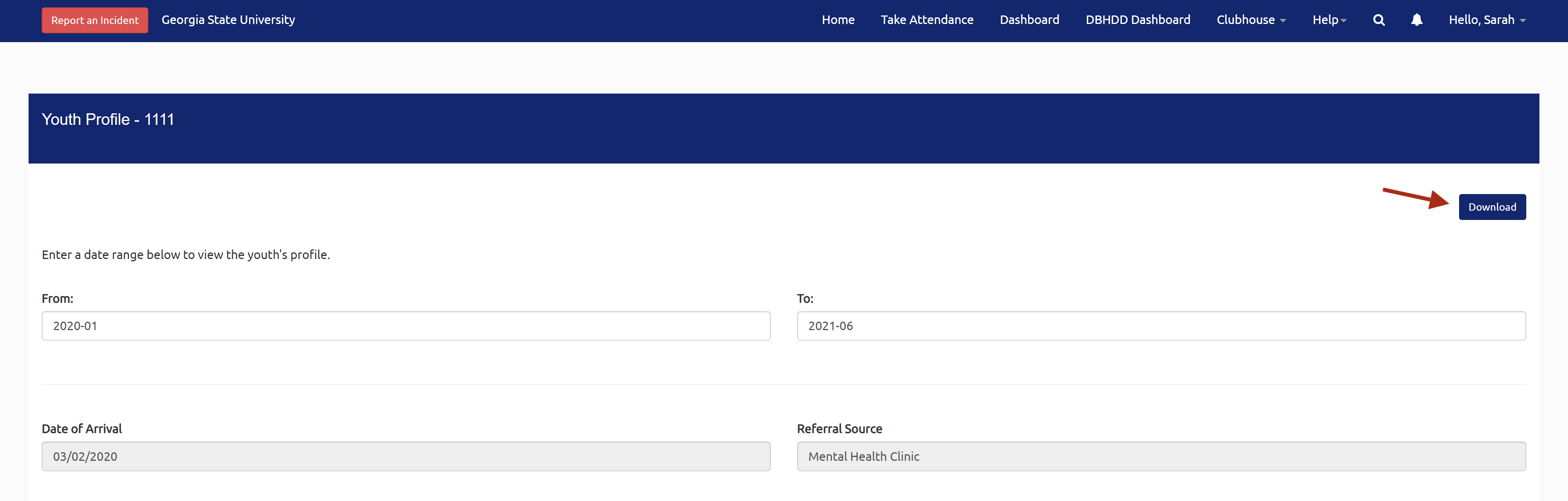
To view the data for a specific time period, select a date range from the "From" and "To" fields:
To download the selected data, select the Download button in the upper right corner of the profile:
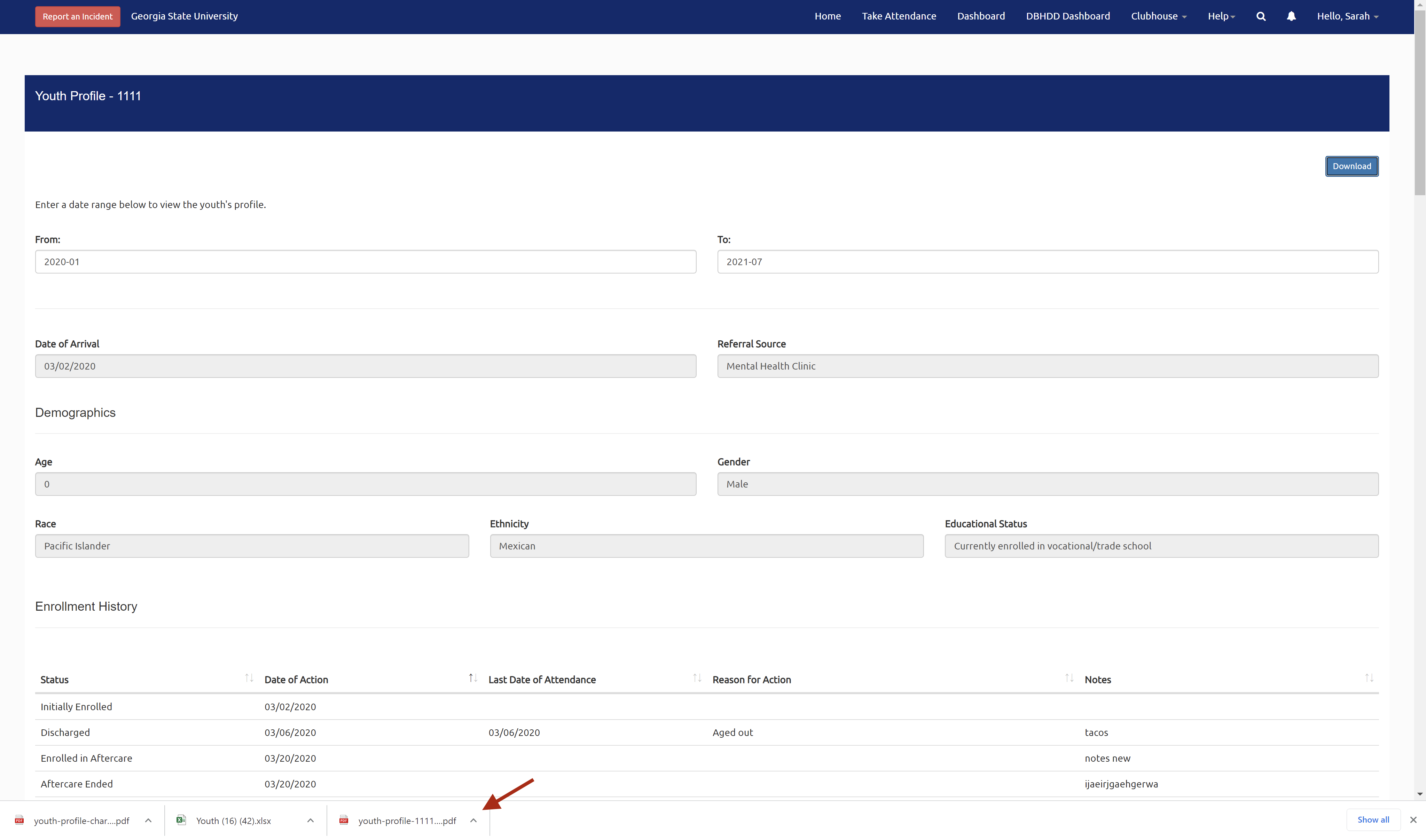
The following PDF files will download to your computer's Downloads folder. (Please note: Depending on your browser/computer's operating system, the downloads may open in new tabs or show in your browser, as pictured below.)
- Youth Profile
- Youth Profile Charts
- Latest Relapse Prevention Plan (if selected in the popup)
Still need help? Reach out to the Research Solutions Team at researchsolutions@gsu.edu.