Follow the steps below to fill out the form:
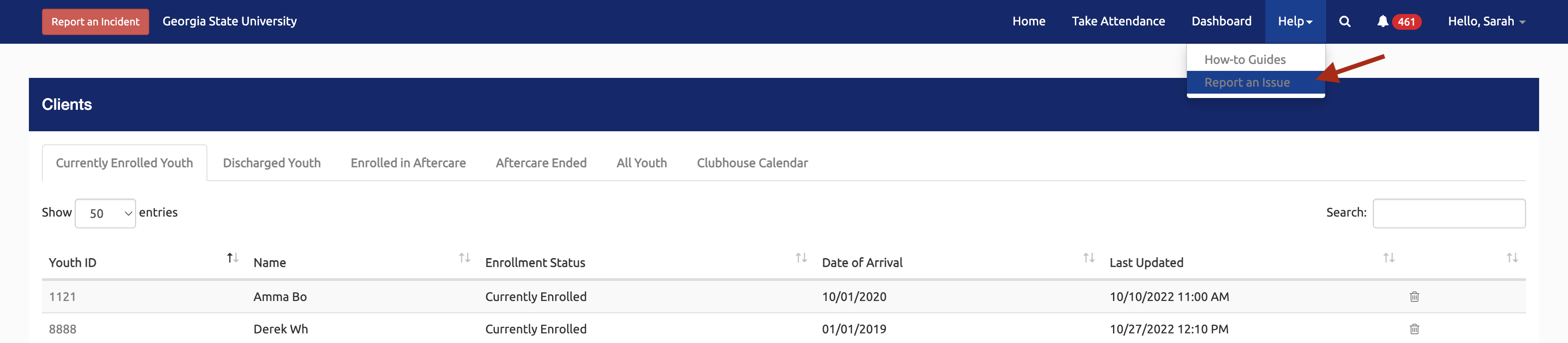
In the Clubhouse Portal, you can access submit a help desk ticket by:
- Select the Help link in the top right menu.
- Select the Report an Issue link in the dropdown menu.
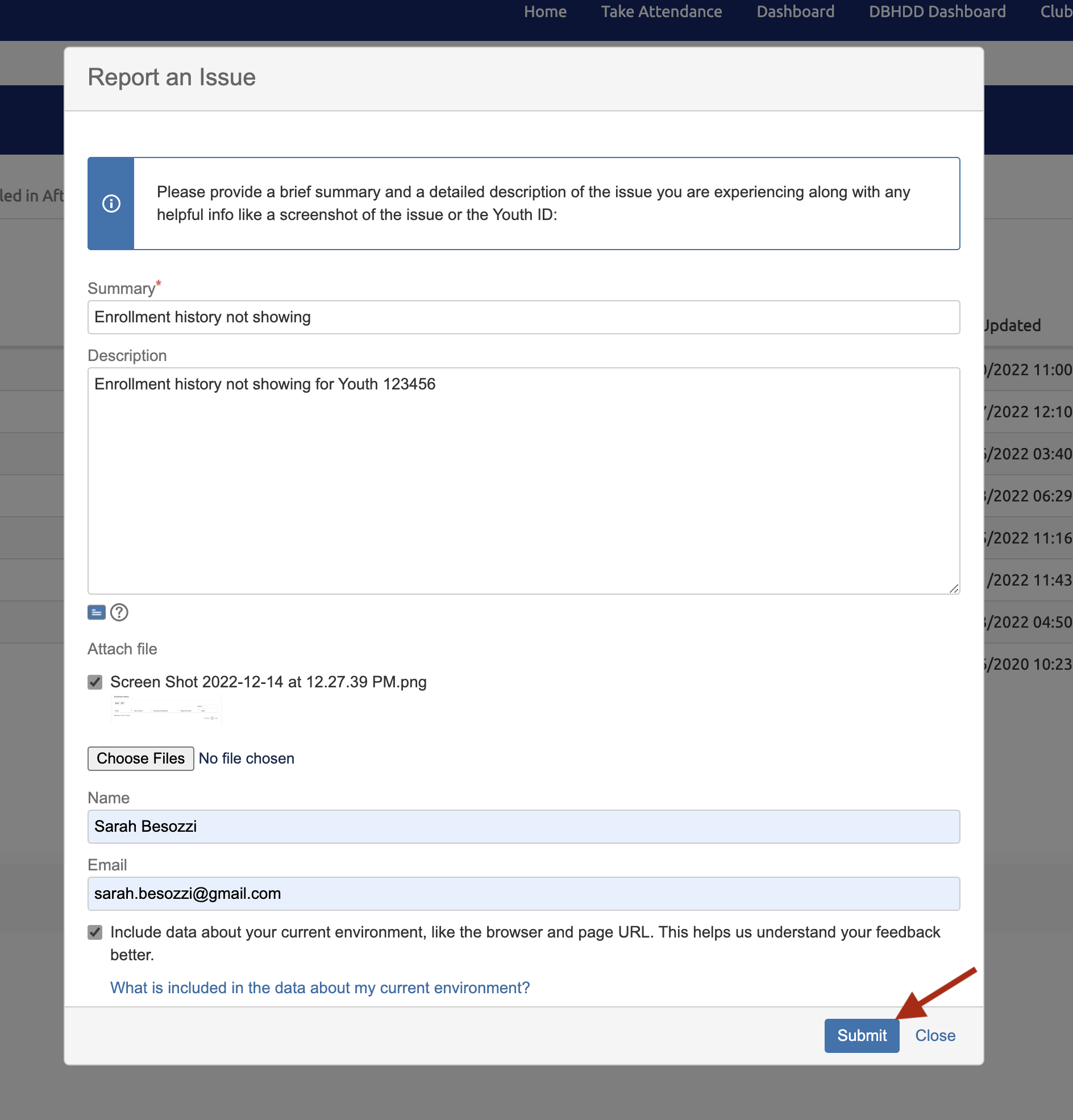
In the popup, fill out all the fields so we can get as much information as possible to help:
- Summary: Brief summary of issue
- Description: Detailed description of issue should include things like:
- Youth ID
- Where in the form or portal the issue is
- Steps you took that caused an issue
- Attach a Screenshot: Take a screenshot of the portal where the issue is so we can see your screen.
- Name: Provide your name so we know who we're helping.
- Email: Provide your email address so we can get in contact with you!
- Keep the checkbox checked for "Include data about your current environment, like the browser and page URL. This helps us understand your feedback better."
- This gives us information like the page you're looking at and what browser and computer you're using so we can resolve browser issues. Below is an example of the browser and computer data that will be collected:
- Location: https://rschportal.org/
- Referrer: https://rschportal.org/Home/Participants?ID=1169
- User-Agent: Mozilla/5.0 (Macintosh; Intel Mac OS X 10_15_7) AppleWebKit/537.36 (KHTML, like Gecko) Chrome/108.0.0.0 Safari/537.36
- Screen Resolution: 1792 x 1120
- This gives us information like the page you're looking at and what browser and computer you're using so we can resolve browser issues. Below is an example of the browser and computer data that will be collected:
After filling out all the fields, select the "Submit" button to send the ticket.
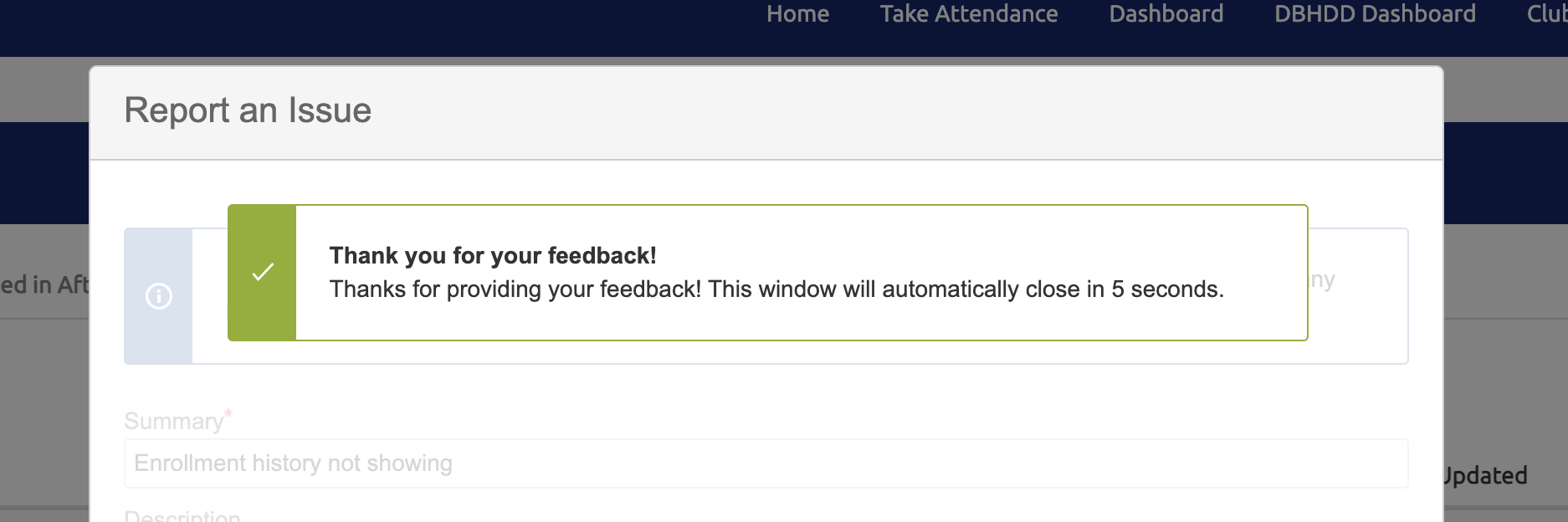
When successfully submitted, a "Thank you for your feedback!" message will appear.
Please allow 48 hours for our team to respond!