To reset your password, go to https://rsaccounts.rs.gsu.edu/login:
Select the Forgot your password? link:

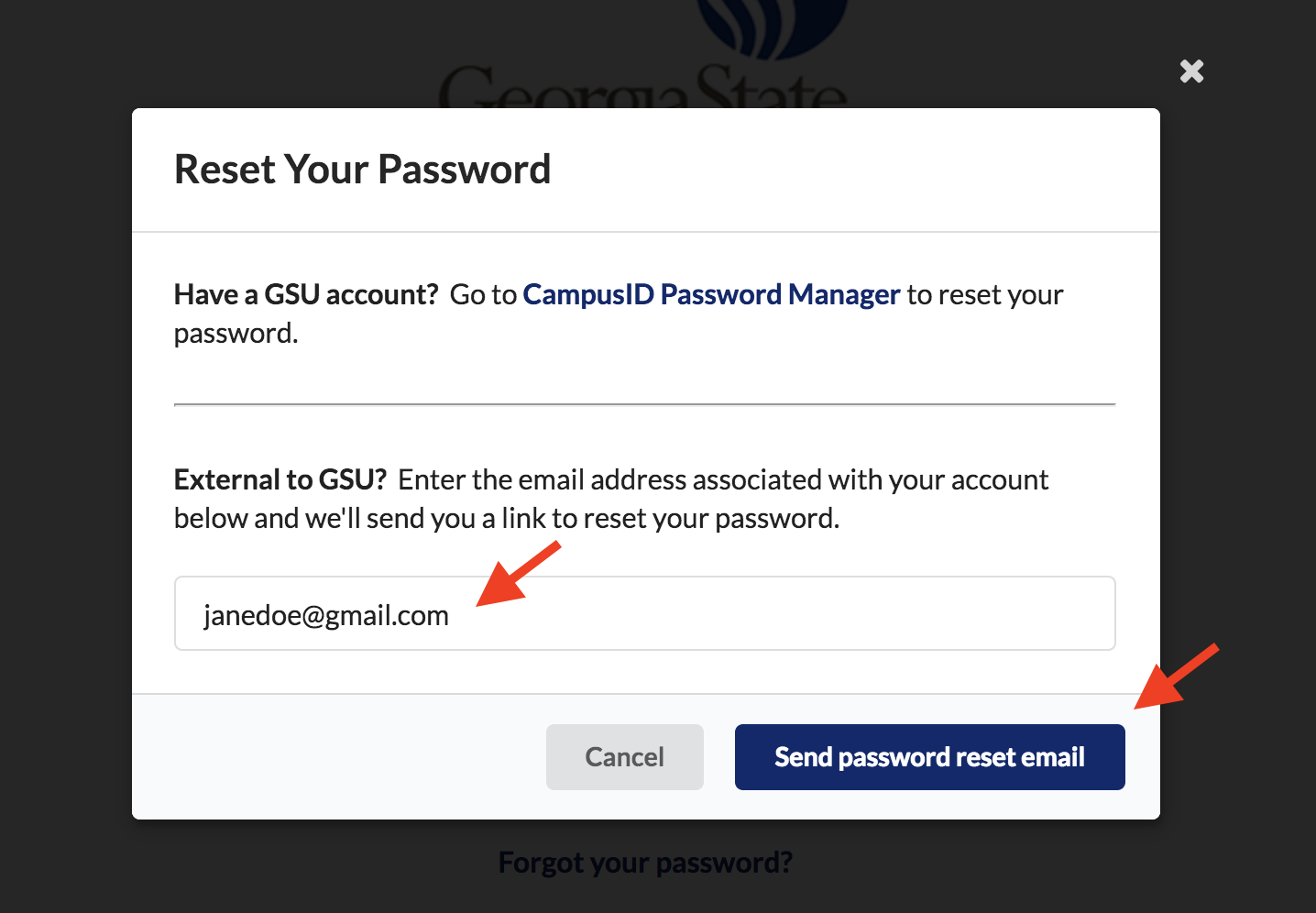
In the pop-up you have two choices based on your account type:
Under the "External to GSU?" section enter your clubhouse staff email associated with your account and select the "Send password reset email" button.
An email will be sent to this email address with a link to reset your password.
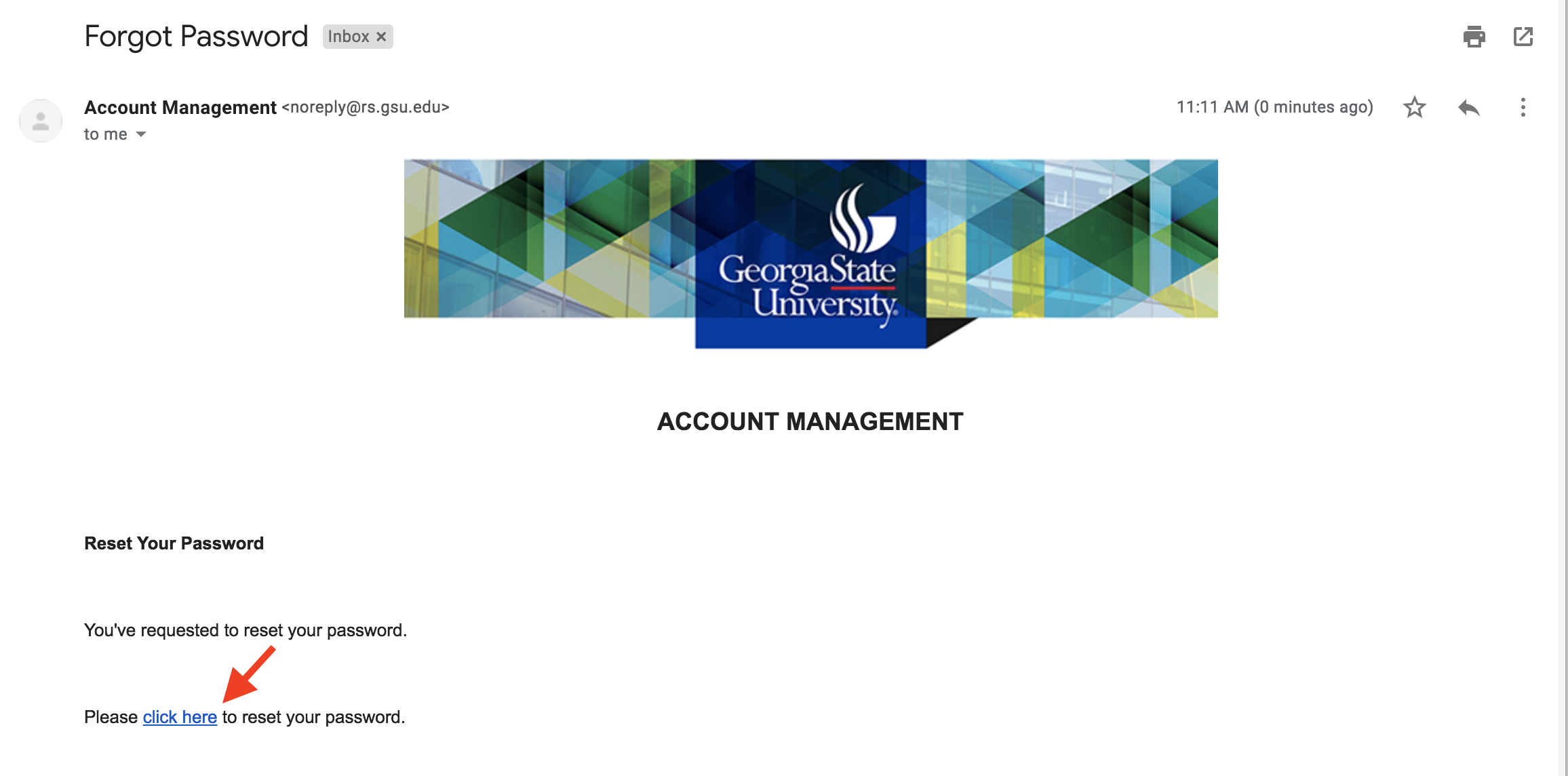
In the email sent to you, select the "click here" link to reset your password. You will be directed to the Account Management system.
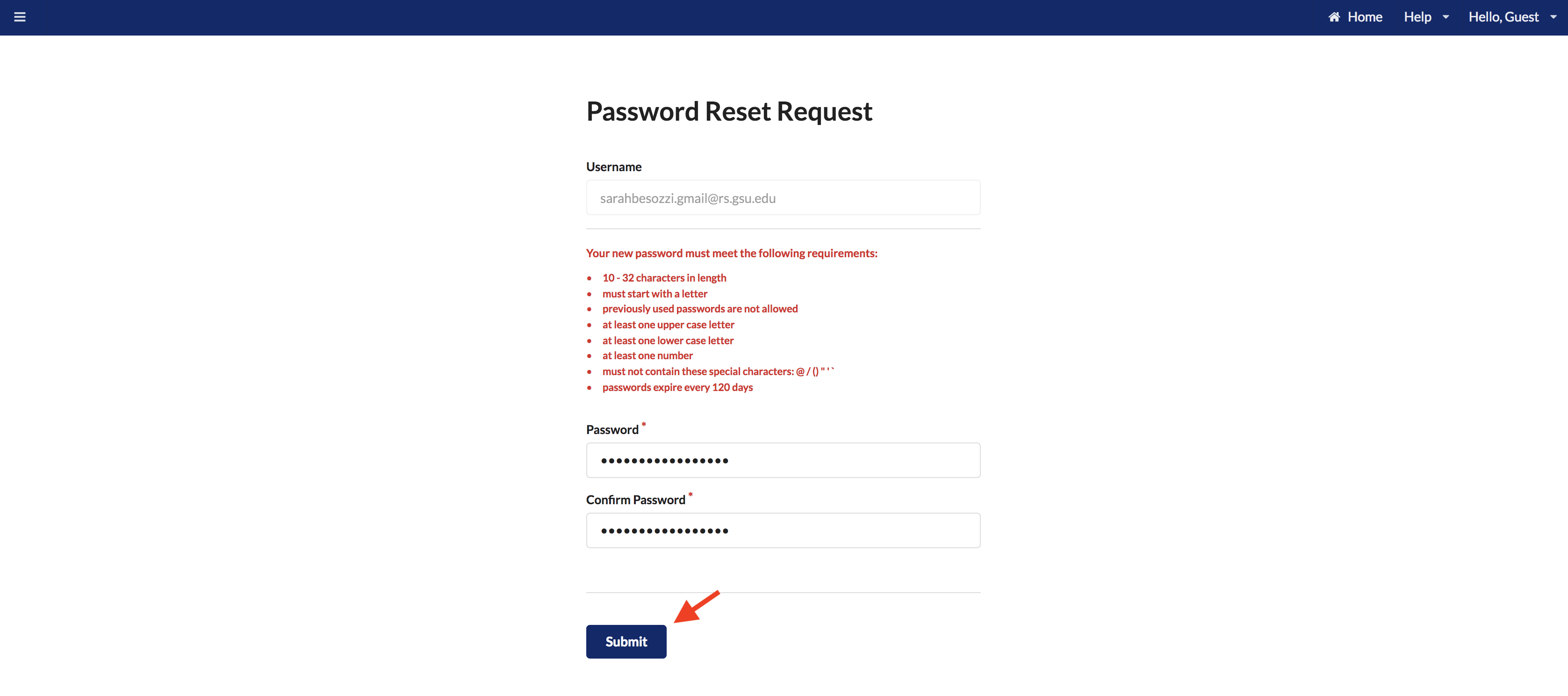
In the Password Reset Request form, enter your new password and confirm the new password.
Select Submit button.
After you submit your new password, a confirmation email will be sent to you confirming the password has been updated.

Please note: After updating your password, you may need to clear your browser’s cache that can hold onto old passwords and can prevent you from logging in. Please see the guide here: How to Clear Your Browser's Cache.