Select Take Attendance in the top right menu bar:

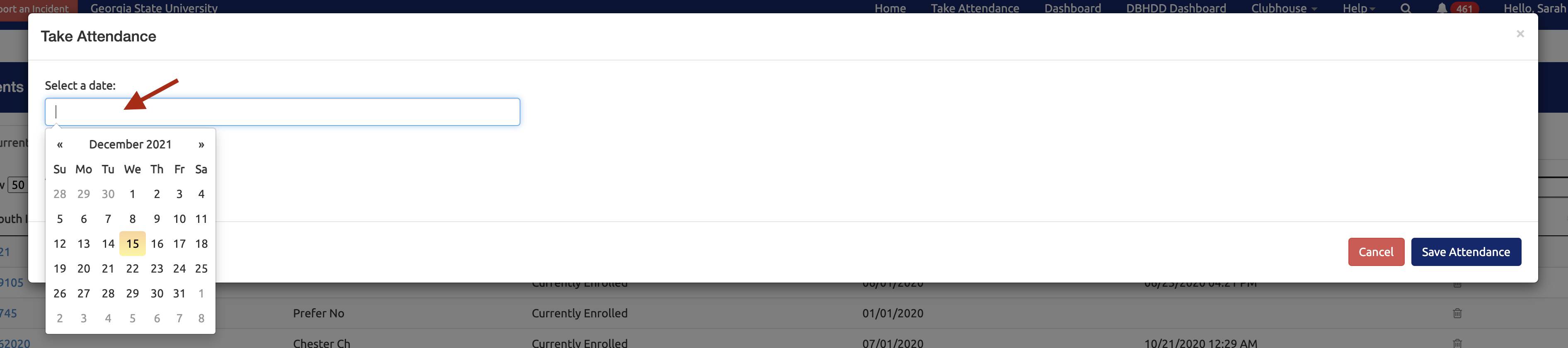
Indicate the date you wish to take attendance for. The youth currently enrolled for this date will appear:
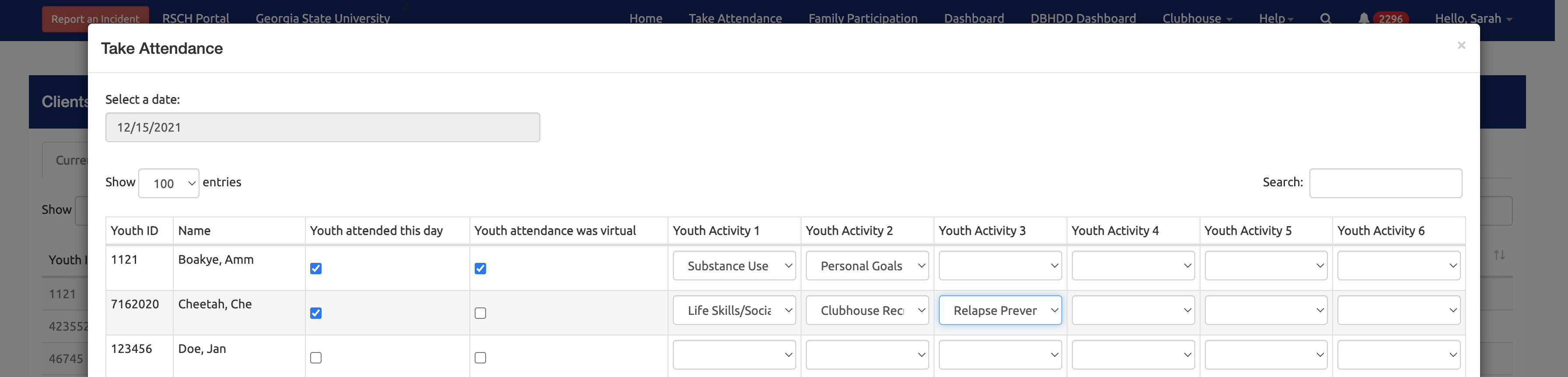
Complete the attendance for each youth, including virtual attendance, activities and family involvement:
When complete, select the Save Attendance button:

Still need help? Reach out to the Research Solutions Team at researchsolutions@gsu.edu.