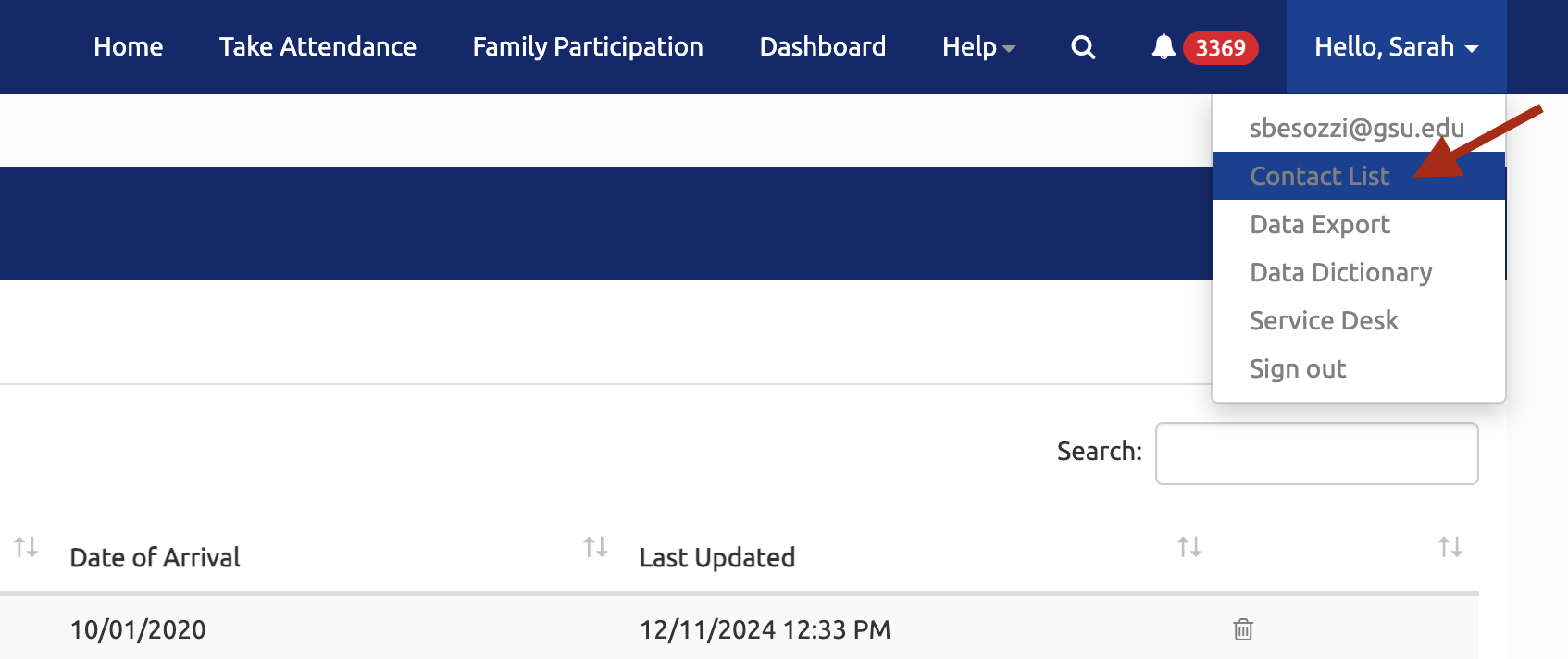
To access the Contact List, select your name in the top right corner and then select Contact List from the dropdown menu as shown below:
Add a New Contact
-
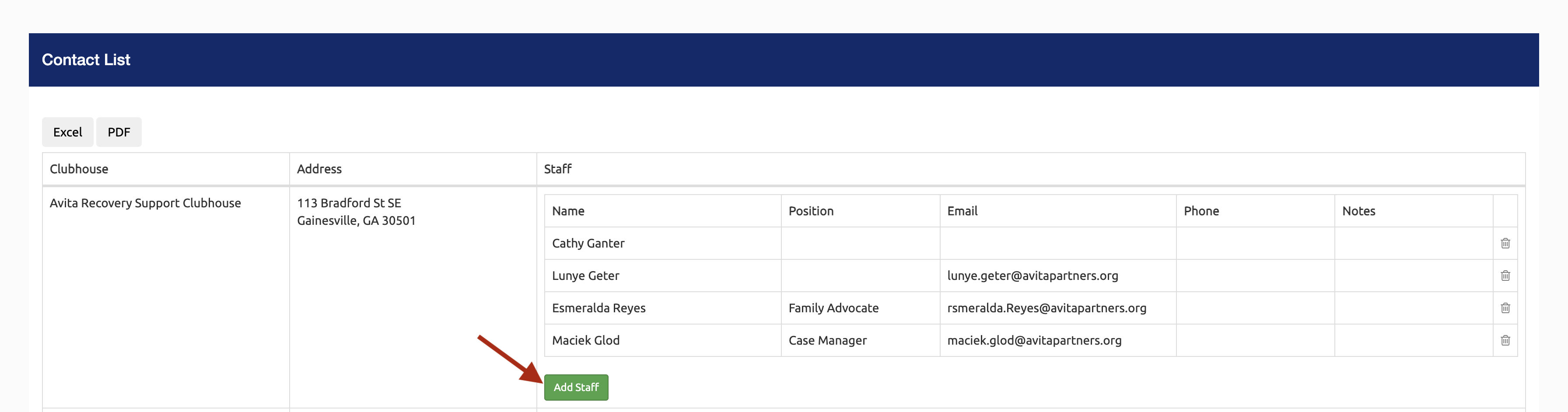
To add a new staff member to a contact list, select the Add Staff button under your clubhouse:
-
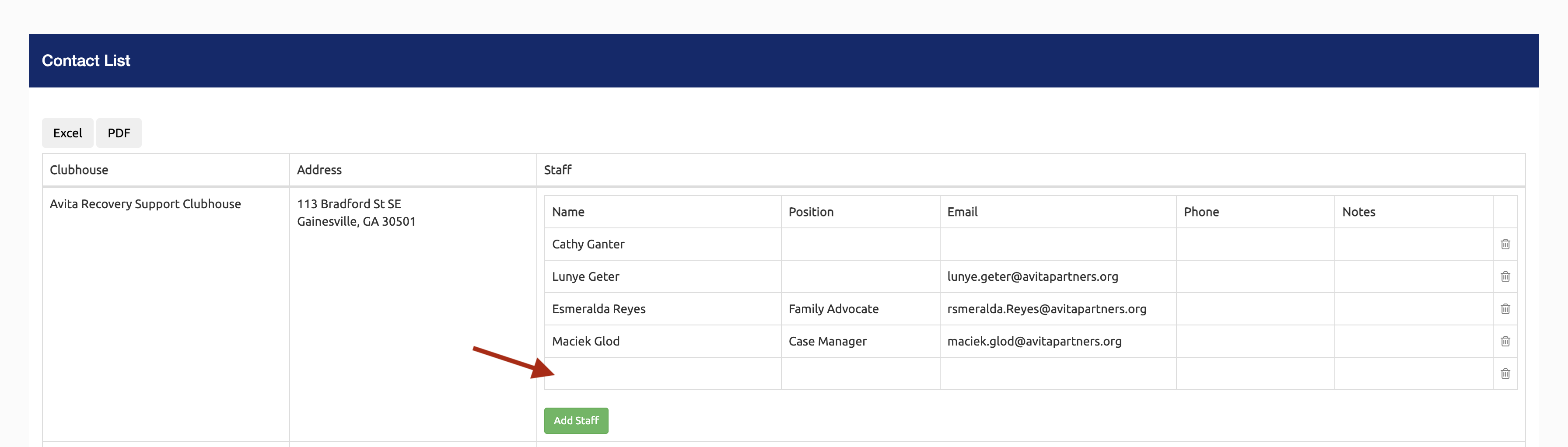
This will create a new row. Select the new row:
-
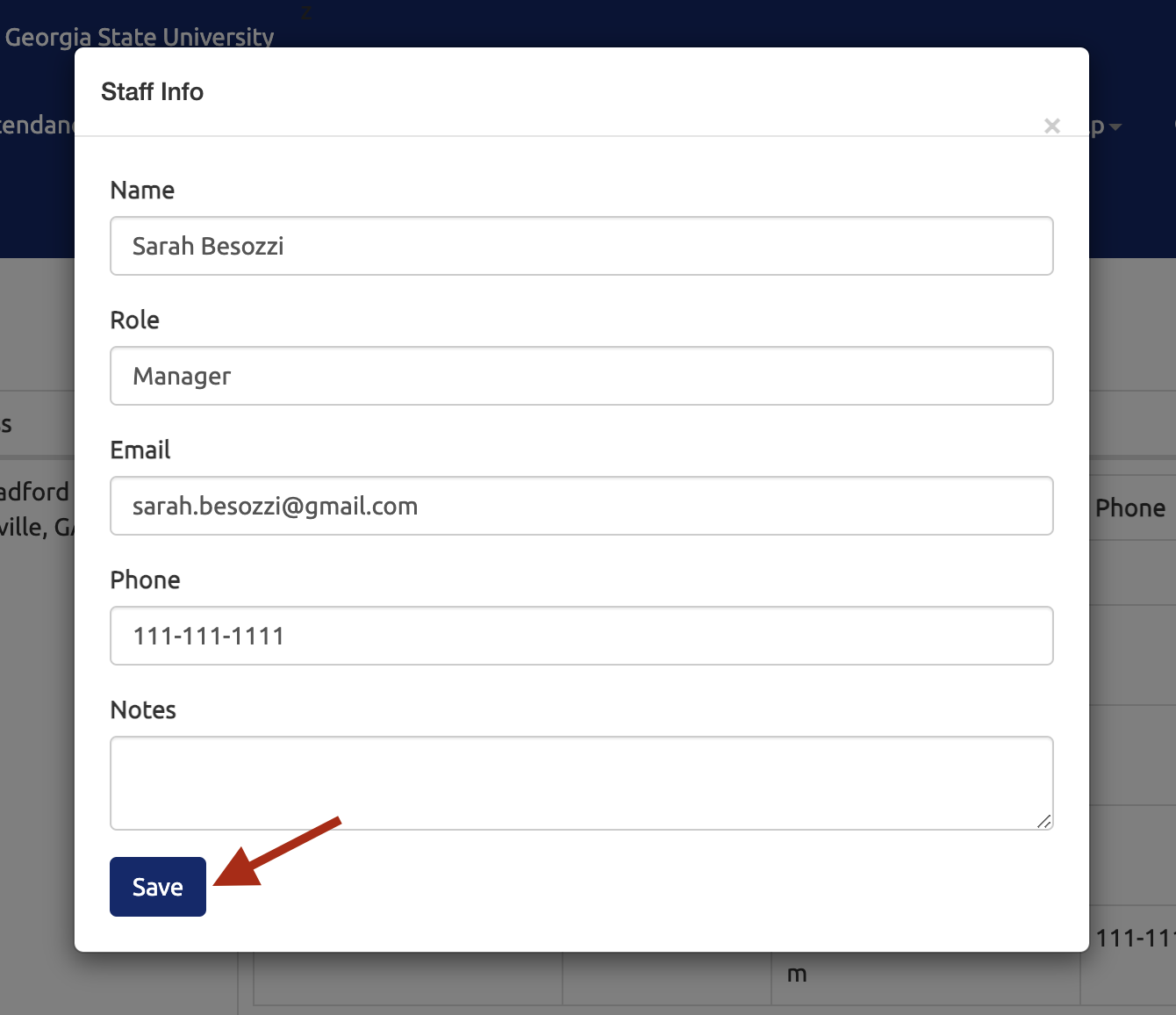
In the Staff Info popup, enter the staff member's contact information and select the Save button:
-
The new contact will show in the new row:
Edit a Contact
-
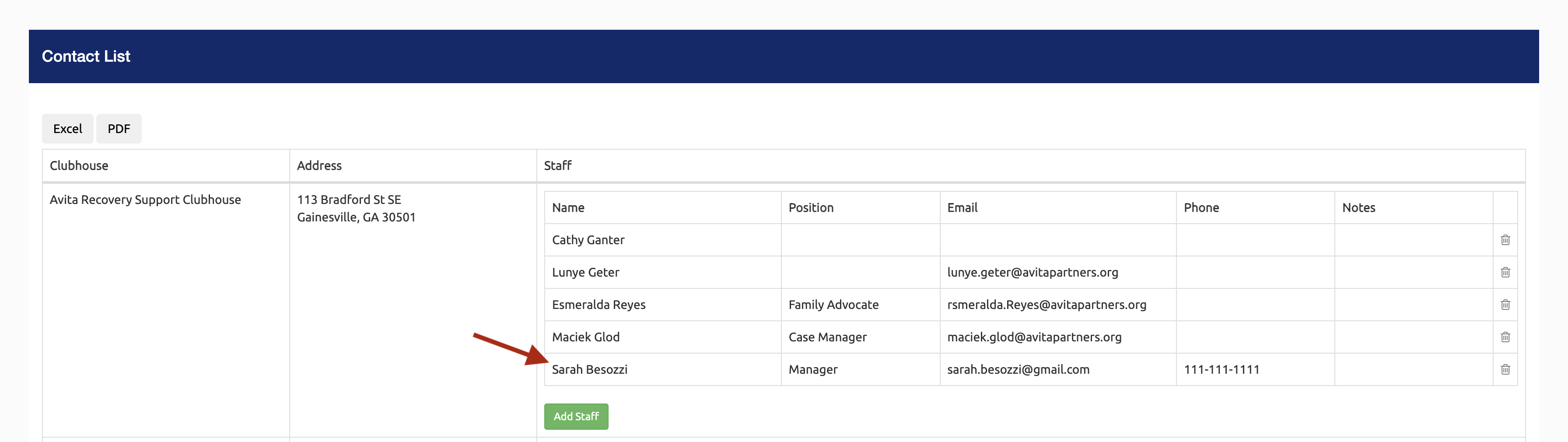
To edit a contact, select the contact:
-
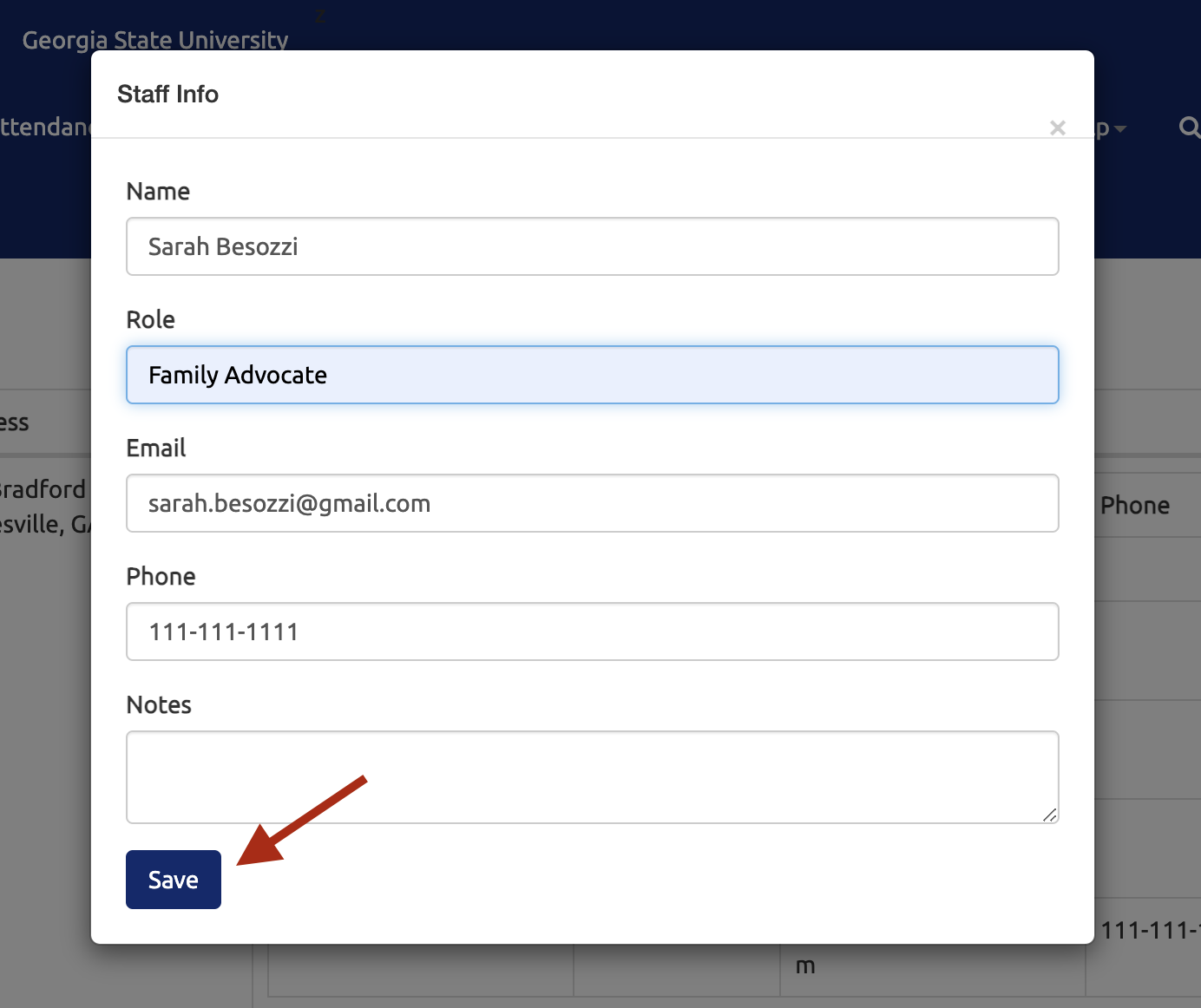
In the Staff Info popup, update the staff member's contact information and select the Save button:
-
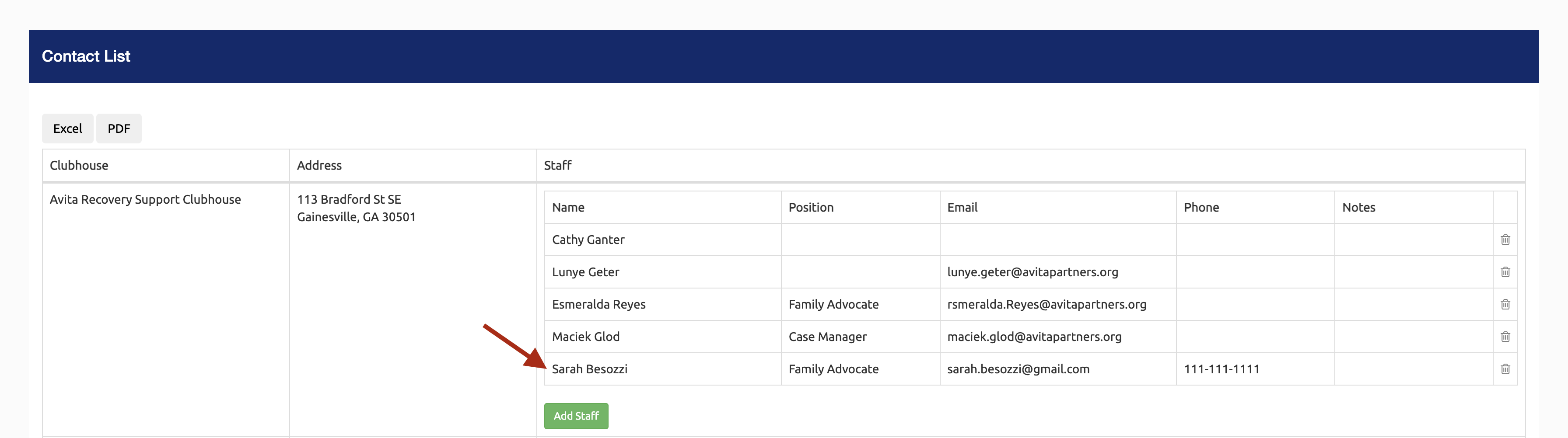
The updated contact information will show in the row:
Delete a Contact
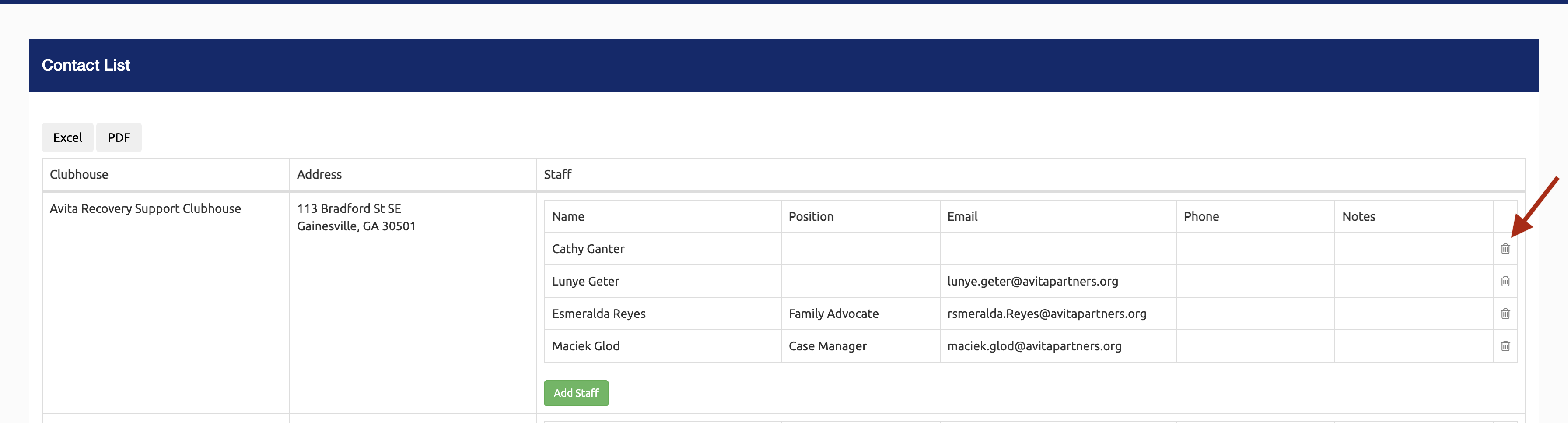
- To delete a contact, select the trash can icon next to the contact:
Still need help? Reach out to the Research Solutions Team at researchsolutions@gsu.edu.